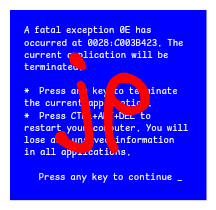
Re-posted to fix my filename emoji. You can’t make this shit up
You must log in or register to comment.
TEXTFI~2.TXT
Fun fact:
C:\:is a perfectly valid NTFS path. Windows won’t let you create it, though, because Windows doesn’t even fully support the NTFS specification. That’s why you have to specify thewindows_namesoption when mounting an NTFS filesystem on Linux.what the hell microsoft ARE YOU KIDDING ME
C:\>TYPE POST_372.TXT i have no idea why anyone would do that! makes it hard to live inside a terminal and the gui is too messy! C:\>_I remember hiding whacky wheels for DOS using ascii characters in the folder name. The professor tried to delete it using win 3.1… Hahahahaha… Good luck with that!
oh man if only i could do that to the win10 computers at my school id be a happy man
You complain about ASCII filenames but a few of the examples are obviously Unicode, namely using emoji, well outside of the ASCII character set. But since you’ve brought up Unicode file names, let me introduce you to bidirectional text!
If you use Hebrew or Arabic, some of your directories or files will have right-to-left text in them. This is a recipe for disaster.
If in English you’d have “C:\Users\Adam\Documents\Research\Paper.pdf”, which breaks down to:
- C:\
- Users\
- Adam\
- Documents\
- Research\
- Paper.pdf
In Hebrew you’d have: “C:\משתמשים\אדם\מסמכים\מחקר\מאמר.pdf”, which breaks down to:
- C:\
- משתמשים\
- אדם\
- מסמכים\
- מחקר\
- מאמר.pdf
The entire path goes backwards, and the “.pdf” extension is visually attached to the “Users” folder if the text is rendered naively. It’s insane. Fortunately many GUI shells nowadays separate each path item so they can’t get intermixed like this. Example:

But still, if you copy a path into plaintext, it will still visually look wrong, and there is literally nothing that anyone can do about it. This is the correct way to render this text.
Exact same issues occur in Arabic and the few other RTL languages usedin the world. It’s a massive pain.
Edit: oh, and on commandline on Windows, the required characters aren’t even available by default so you get this lovely thing

Why not use
ꟻbq.משתמשים/אדם/מסמכים/מחקר/מאמר/:ↄ
instead? If you want to write from right to left, you should go all the way.
if you think this is bad, wait for the
.🙏🥴❤️TLDsWait for it to be one of these. 🦶🦶🏻🦶🏼🦶🏽🦶🏾🦶🏿 Good luck not getting scammed by .🦶🏼 when it was actually .🦶🏽 you wanted.
Oh my god, I did some research
They’re selling emoji domains
https://xn--i-7iq.ws/is ground zeroI strongly advise against buying one. It resolves to unreadable asdfgjkl-Hdlslfjrms.tld anyway, which entirely defeats the purpose.
Give your money to a charity instead.
Or give it to me. I will spend it on cigarettes.
shouldve been “.cum” instead