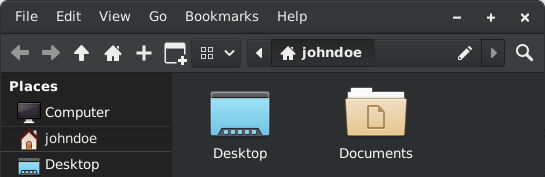
I love Dolphin. Great for GameCube and Wii games.
is this a /j
ComOP is joking about this: https://en.m.wikipedia.org/wiki/Dolphin_(emulator)
I thought the same thing when I saw the comic.
could be, or not, we will never know for sure
either way, it is funny
I have one old laptop with Windows 10 sitting around, and only because it’s the only way to update the Xbox Series controller I have that randomly bootloops and thus is essentially useless anyway.
So this begs the question: how much of Windows can I delete and replace with foss stuff, while still having it technically be a Windows OS?
Soon:
“I’d just like to interject for a moment. What you’re referring to as Windows, is in fact, GNU/Windows/NT, or as I’ve recently taken to calling it, GNU plus Windows plus NT. Windows is not an operating system unto itself, but rather another nonfree component of a fully functioning free GNU system made useful by the GNU corelibs, shell utilities and vital system components comprising a full OS as defined by POSIX… and whatever NT does.”
You mean GNU\Windows\NT
Backslashes in file paths makes me go 🔥😡🤬😤😾💥
The absolutely most? ReactOS. It’s not really suitable for daily use, but it is essentially a clean room reverse engineering project of Windows itself.
Can recommend, Dolphin makes life on windows slightly more tolerable. Kate for Windows is also amazing
I use Kate on my Mac now. I’ll never go back to regular ol’ TextEdit.
I was like wait this is so cool then I realized I’m on Linux already
NGL, I didn’t realise it’s an actual Dolphin icon on the folder until I saw this post. I always have the Dolphin pinned on my taskbar but it’s teeny tiny so I couldn’t make out the symbol.
For what it’s worth, the dolphin face is a relatively recent addition. I wanna say three months tops.
(Someone on the interweb:) “Hey, you should try KDE Connect”
(Me:) Uh, I don’t use Linux on my laptop and that’s the computer that I use the most
(S:) “Well it also runs on Windows.”
(Me:) Really?.. Holy sh- HOLY SHIT, this is so much better than every shitty cloud sync package, and that Google app they keep renaming every time I look at it so I can’t remember what it’s called this week
Afaik the version is old?
nope
Hi fellow Mr. Clippit!
Hello!
Great! Dolphin is also better than macOS Finder. I would replace it with Dolphin as well.
However, Windows Explorer in Windows 11 still excels in one area: it doesn’t have a header, and the tabs are displayed on the header, like in Chromium.
It’s also annoying that all KDE Dolphin tabs have that red [X] button. Sadly, the KDE developers reject great PRs like this one: https://invent.kde.org/system/dolphin/-/merge_requests/269
Who even presses those [X] buttons? I always use the Ctrl+W shortcut.
However, Windows Explorer in Windows 11 still excels in one area: it doesn’t have a header, and the tabs are displayed on the header, like in Chromium.
You can make literally any window of any program have no header with KDE. I’m pretty sure you can make Dolphin look exactly how you are describing.
Closest thing I found was adding a close button directly on the toolbar. No min/max buttons available unfortunately. Or you csn use a specific window decoration with a locally integrated menu: github.com/Zren/material-decor…
I know this is the wrong place to say this, but I really like the Windows Explorer. Dolphin is a good replacement, but it would be one of the few things I’d like to keep on Linux.
I just updated to Windows 11 and oh boy has it gotten worse when compared to 10…
The UI, useless spacing in between items, 2nd context menu, gigantic bars on top, the somehow missing create folder button, OneDrive Integration, “Pin to quick access” everywhere, freezing up when creating thumbnails, constantly somehow resetting the layout of the user home and I’m just getting started… But hey it got tabs now
Don’t forget that they still lie about file sizes (displaying GiB but saying its GB)
So much kde stuff works on windows. Its a lifesaver
Just need windows to allow different desktops.
And to run on top of the linux kernel
Like, virtual desktops/workspaces?
That’s a thing. Press windows key + tab.
No like run kde or gnome on windows i guess I’m trying to say, different desktop environments.
You can run lots of kde apps on Windows and Mac OS. I personally use Kate at work since it is far faster than VScode
There even is a konsole port in the works
Okular is the best PDF software for Windows, beating Adobe’s own solution.
That is a pretty low bar.